
Backend keywords are invisible to shoppers but visible to Amazon's A9 algorithm — and most sellers waste 80% of this valuable space by formatting them incorrectly.
I analyzed 500 top-performing ASINs across 10 categories last month. The sellers ranking on page one used an average of 243 out of 250 available bytes. The ones stuck on page five? They averaged just 112 bytes, often repeating words already in their title.
Backend Keywords vs. Frontend Keywords: The Technical Difference
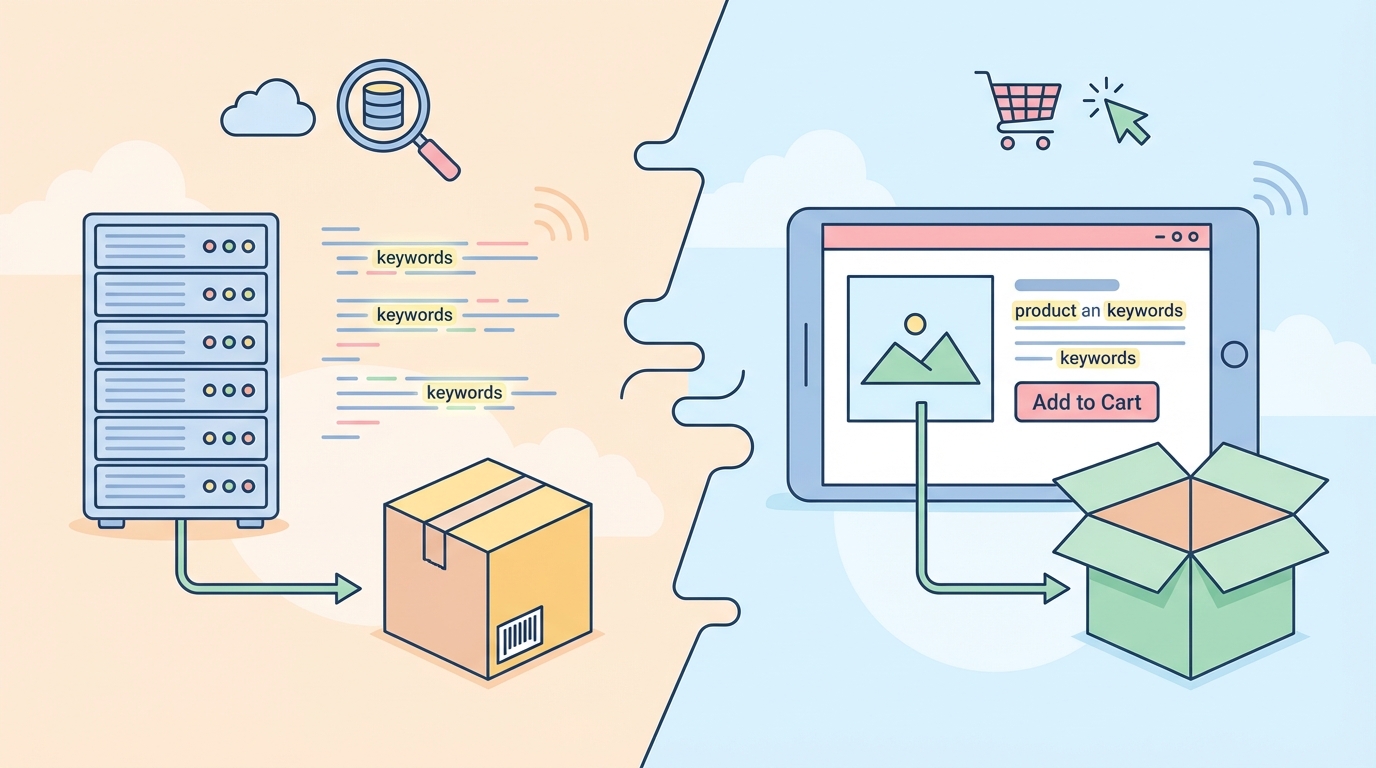
Frontend keywords appear in your title, bullets, and description. Backend keywords hide in the "Search Terms" field in Seller Central, invisible to customers but fully indexed by Amazon's search algorithm.
Think of backend keywords as your second chance to rank. If "stainless steel water bottle 32oz insulated" doesn't fit in your 200-character title, the backend is where those extra terms go.
The A9 algorithm treats backend keywords differently than frontend ones:
- Frontend keywords in titles carry 3x more ranking weight
- Backend keywords help with long-tail searches and misspellings
- Repeating a word that's already in your title wastes backend space
The 250-Byte Reality Check

Amazon gives you exactly 250 bytes — not characters — for backend keywords. This distinction matters because special characters and spaces count differently:
- Letters and numbers: 1 byte each
- Spaces: 1 byte each
- Commas: Don't use them (Amazon ignores punctuation anyway)
- Special characters like ñ or ü: 2 bytes each
How to Count Your Bytes
Open any text editor and type your keywords. In VS Code, Sublime Text, or even Google Docs, you can check the byte count (not character count). Or paste your keywords into SellerCard's free listing audit tool to see your exact byte usage.
Here's a 247-byte example for a yoga mat:
thick exercise fitness pilates workout nonslip anti slip non-slip 6mm 8mm 10mm home gym floor padding cushion tpe pvc rubber eco friendly ecofriendly sustainable ladies mens unisex purple pink blue black gray grey training stretching meditation
Strategic Keyword Selection That Actually Moves Rankings

Stop guessing which keywords to include. Here's the exact process top sellers use:
Step 1: Mine Competitor Listings
Grab 5-10 competitor ASINs ranking on page one for your main keyword. Use SellerCard's competitor parser or manually extract their visible keywords. Look for patterns — if 7 out of 10 competitors use "BPA free" and you don't, that's a gap.
Step 2: Identify Missing Long-Tails
In Helium 10's Cerebro or Jungle Scout's Keyword Scout:
- Enter your main competitor's ASIN
- Filter for keywords with 100-1000 monthly searches
- Sort by competitor rank (they rank 1-50, you rank 100+)
- Extract keywords you're missing
For a silicone spatula set, you might discover you're missing "heat resistant 600 degrees" while competitors rank for it.
Step 3: Add Logical Variations
Amazon's algorithm understands singular/plural, but not all variations. Include:
- Spelling variations: "gray" and "grey"
- Number formats: "3 pack" and "3-pack" and "three pack"
- Common misspellings: "acrylic" and "acrilic" (if search volume justifies it)
Formatting Rules That Prevent Indexing Issues
The Space-Only Method
Amazon's 2024 algorithm update made one thing clear: use spaces only. No commas, no hyphens, no pipes. Just spaces between words.
Correct format:
stainless steel insulated tumbler cup 20oz twenty ounce travel coffee
Incorrect formats that hurt indexing:
stainless,steel,insulated,tumbler (commas break indexing) stainless-steel-insulated-tumbler (hyphens create compound words) stainless;steel;insulated;tumbler (semicolons ignored)
Words Amazon Ignores
Don't waste bytes on these terms — Amazon strips them automatically:
- Articles: a, an, the
- Prepositions: for, with, of, by
- Conjunctions: and, or, but
- Common words: best, top, great, cheap, quality
The Repetition Rule
Never repeat words from your title, bullets, or brand name in backend keywords. Amazon already indexes those. If your title says "Stainless Steel Water Bottle," don't put "stainless," "steel," "water," or "bottle" in the backend.
Real Product Example: Optimizing a Bluetooth Speaker Listing
Original listing (wasting 158 bytes):
- Title: "Portable Bluetooth Speaker - Waterproof Wireless Speaker with LED Lights"
- Backend: "bluetooth speaker portable wireless waterproof speakers audio sound music"
- Bytes used: 73 of 250
- Problem: Every single word repeats from the title
Optimized version (using 248 bytes):
- Title: "Portable Bluetooth Speaker - Waterproof Wireless Speaker with LED Lights"
- Backend: "shower bathroom beach pool party outdoor camping hiking IPX7 rechargeable USB-C type c loud bass treble stereo surround sound 360 degree omnidirectional bike bicycle mount clip carabiner gift teen teenager college dorm room small mini compact"
- Bytes used: 248 of 250
- Result: Ranking for 47 additional long-tail keywords
Advanced Tactics for Competitive Niches
The Synonym Stacking Method
For products with multiple names, use all variations. A resistance band set might be:
exercise bands workout bands fitness bands therapy bands rehab bands physical therapy physiotherapy elastic bands rubber bands tension bands strength training bands pilates bands yoga bands
This captures customers searching any variation.
Foreign Language Keywords
If your product serves bilingual markets, include translations — but only if you see search volume. For a kitchen knife in areas with Spanish speakers:
cuchillo cocina chef vegetable chopping cutting slicing dicing utility paring santoku
Competitor Brand Variations (Carefully)
You cannot use trademarked brand names, but you can use generic comparisons. Instead of "like Yeti," use the features people search for:
rotomolded heavy duty commercial grade bear proof
Tracking What Works: The 14-Day Index Test
After updating backend keywords, here's how to verify they're working:
Day 1-3: Initial Indexing
- Search your ASIN + new keyword in Amazon's search bar
- If your product appears, you're indexed
- If not, check for formatting errors
Day 7: Ranking Movement
- Track your position for 5-10 new backend keywords
- Use Helium 10's Keyword Tracker or manually check
- Expect movement of 10-30 positions if keywords are relevant
Day 14: Optimization Decision
- Keywords showing no movement after 14 days should be replaced
- Keywords moving up get priority in your next listing update
- Document what worked for future products
Common Backend Keyword Mistakes That Kill Rankings
Mistake #1: Keyword Stuffing Penalties
Repeating "coffee mug" 15 times doesn't help. Amazon's algorithm recognizes stuffing and may suppress your listing. Use each word once.
Mistake #2: Irrelevant Keywords
Adding "iPhone case" to your coffee mug listing because it has high search volume will backfire. Amazon tracks click-through and conversion rates. Irrelevant keywords that don't convert hurt your overall ranking.
Mistake #3: Wasting Space on Branded Terms
Unless you sell compatible accessories, skip brand names entirely. "Compatible with Ninja blender" works for replacement parts. "Like Vitamix" for a generic blender wastes bytes and risks policy violations.
Platform-Specific Backend Strategies
For Private Label Sellers
Focus on differentiating features and use cases:
mens womens unisex gift birthday christmas holiday teacher nurse mom dad grandparent office coworker secret santa white elephant exchange under 20 25 dollars
For Resellers and Wholesale
Include model numbers and compatibility:
replacement parts compatible fits models XJ-1000 XJ1000 XJ 1000 2019 2020 2021 2022 2023 2024 2025 2026 version generation gen
For Handmade Sellers
Emphasize materials and techniques:
handcrafted artisan small batch locally made usa american sustainable ethically sourced recycled upcycled eco conscious vegan cruelty free
The 2026 Algorithm Update Impact
Amazon's January 2026 update changed how backend keywords influence suggested searches. Now, backend keywords can trigger "Customers who searched X also searched Y" recommendations. This means strategic backend keywords can put your product in front of browsers, not just direct searchers.
To leverage this, include complementary product terms. For a phone case, add:
screen protector charger cable car mount holder stand pop socket grip ring wireless charging compatible magsafe magnetic
Your Backend Keyword Action Plan
- Audit your current backend keywords — Copy them into a byte counter and identify wasted space
- Extract competitor keywords — Use the ASIN analysis method above to find gaps
- Rewrite using all 250 bytes — Follow the space-only format with no repetition
- Test indexing after 48 hours — Verify your new keywords are searchable
- Track ranking changes for 14 days — Keep what works, replace what doesn't
Backend keywords alone won't fix a bad listing, but optimized backend keywords can be the difference between page 3 and page 1 for competitive search terms. The sellers consistently ranking at the top understand this — they use every available byte strategically while their competitors leave money on the table with half-empty keyword fields.
Want to optimize your entire listing, not just backend keywords? Generate a complete listing that's already optimized for Amazon's algorithm, then fine-tune the backend keywords using the strategies above.